
All MCP Servers Complete list of MCP server implementations, sorted by stars

The gotoHuman MCP Server facilitates asynchronous human reviews for AI-generated content and critical actions. It integrates with AI agents through webhook-based workflows, allowing users to review, approve, or provide input on AI outputs. The server supports form-based review requests, schema validation, and assignment to specific users, making it ideal for autonomous AI systems and automations.
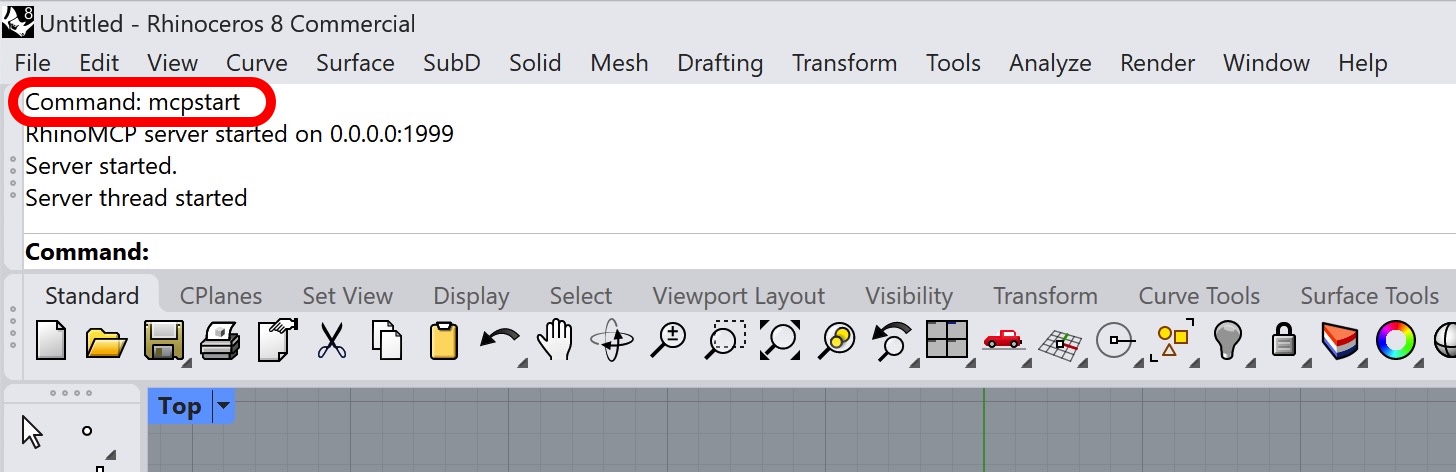
RhinoMCP integrates Rhino 3D with Claude AI using the Model Context Protocol (MCP), allowing users to perform AI-assisted 3D modeling tasks. The system supports two-way communication, object manipulation, and document inspection within Rhino. It consists of a Python-based MCP server and a Rhino plugin, enabling seamless interaction between AI and 3D modeling workflows.
The Keboola Explorer MCP Server is designed to facilitate interaction with Keboola Connection by providing tools to list and access data from the Keboola Storage API. It supports integration with Snowflake and offers features like listing buckets and tables, previewing table data, and exporting data to CSV. The server can be configured for use with Claude Desktop and Cursor AI, enabling seamless data interaction in various environments.

The Plane MCP Server facilitates integration between large language models (LLMs) such as Claude and Plane.so, allowing seamless project and issue management. It provides tools for listing projects, creating and updating issues, and filtering tasks, all while maintaining user control and security. The server supports features like project listing, issue creation, and detailed issue updates, making it a powerful tool for automating project management workflows.
This project provides a Telegram client library and an MCP (Model Context Protocol) server, allowing AI assistants to authenticate with Telegram, manage sessions, retrieve messages, and filter content. The MCP server facilitates integration with AI tools like Claude, enabling search, message retrieval, and pattern-based filtering for Telegram channels.
The PowerPlatform Model Context Protocol (MCP) Server enables intelligent access to PowerPlatform/Dataverse entities and records. It offers features like entity metadata exploration, advanced OData query support, relationship mapping, and AI-assisted query building. This tool is designed to work with MCP-compatible clients, providing context-rich prompts and streamlined data modeling for PowerPlatform environments.
The ValTown MCP Server allows AI assistants to execute code within the ValTown environment using the Model Context Protocol (MCP). It supports cross-platform usage and is compatible with various MCP clients like Claude Desktop and Claude Code. The server integrates seamlessly with ValTown's API, enabling dynamic code execution and enhanced AI assistant capabilities.

The Thirdweb MCP Server provides a unified interface to access thirdweb's suite of blockchain tools and services through the standardized Model Context Protocol. It supports multiple communication transports and integrates with various thirdweb services, including Nebula for onchain execution, Insight for blockchain data analysis, and Engine for backend infrastructure. This server enables seamless integration with MCP-compatible clients, offering real-time on-chain analysis, contract interactions, and data querying capabilities.

This MCP server facilitates seamless integration between Discord and MCP-compatible applications such as Claude Desktop. It provides tools for message and channel management, allowing users to send, read, and manage messages directly through Discord. The server is built using Java and supports Docker for easy deployment.

This MCP server enables users to integrate Google Search Console data with Claude Desktop, allowing for advanced SEO analytics and visualization. It supports features like comparing time periods, generating visual reports, and uncovering optimization opportunities by analyzing click-through rates, impressions, and ranking shifts. The server is designed to be beginner-friendly and requires minimal technical skills to set up and use.
 Invite Gmail Contacts


